👁️ Overview
This page displays detailed information about a specific purchase, along with several sharing-related features.
It can be divided into 4 main sections: Client Information, Purchase Contents, Payment Information, and the Tabs section.
Client Information
Section containing details about the client who made the purchase.

Here you'll also find the copy link button, which opens a dropdown menu for sharing the purchase.

Purchase Contents
Section showing details of the purchased items.
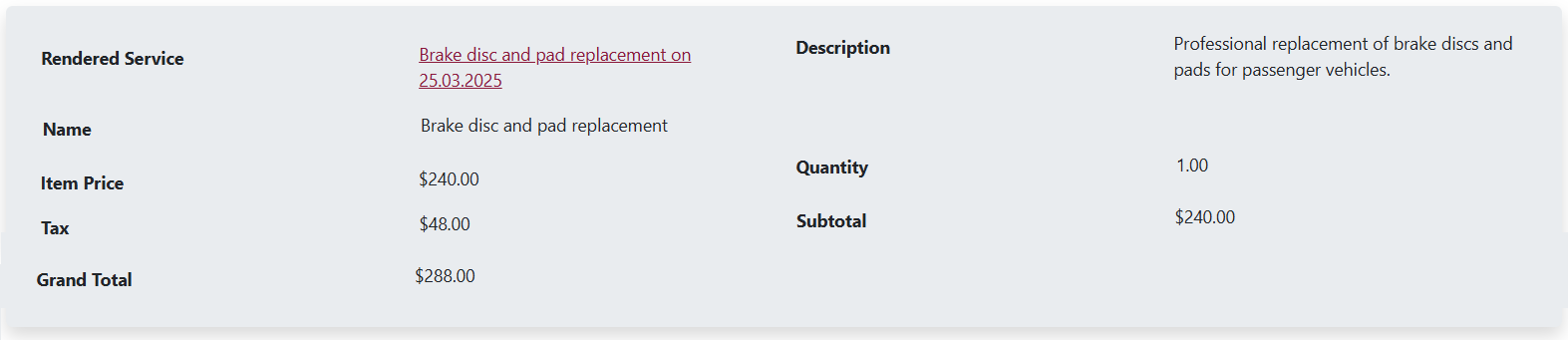
Payment Information
Section listing all payments related to the purchase.

Tabs
- Payments
- Emails
- Letters
- Tasks
- Change Log
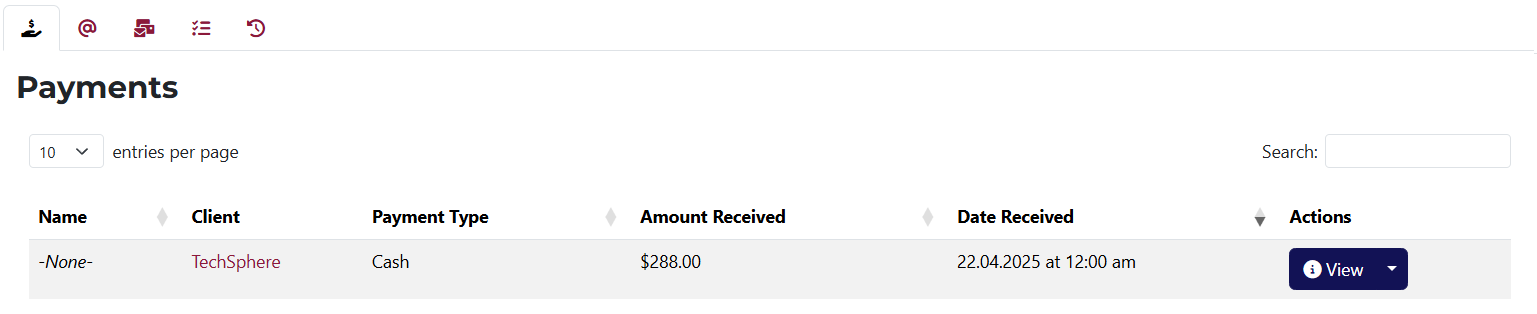
Here you can view all payments related to the current purchase.
You also have quick-access buttons to view, edit, and delete each payment.

This tab is divided into two sections – Sent and Unsent emails.
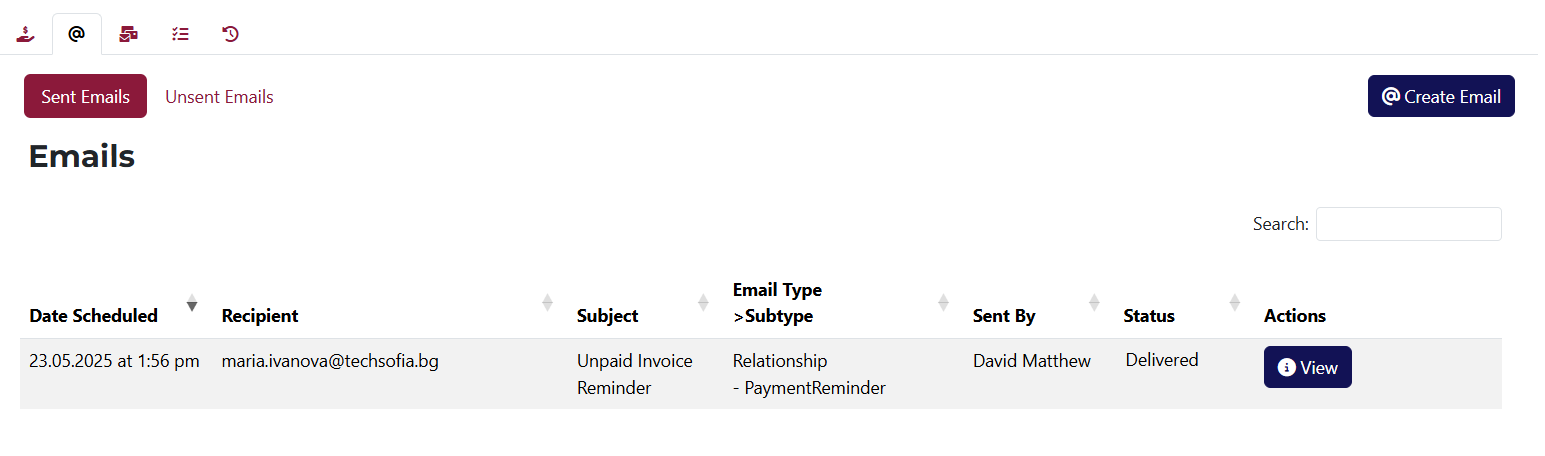
This part shows all emails that were sent in connection with this purchase. Each email has a view button.
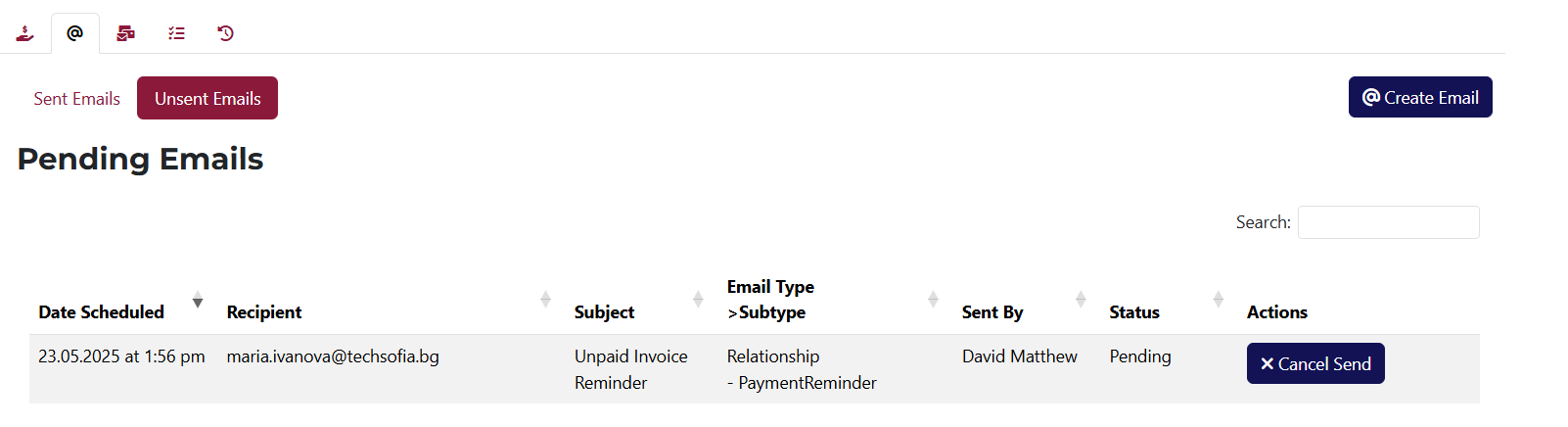
Here you can view emails related to the purchase that are scheduled to be sent. Each has a cancel button.

This tab displays all letters associated with the current purchase.
Each letter includes quick-access buttons to view, edit, and delete.
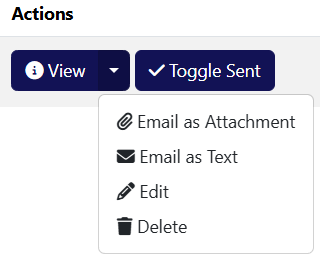
The dropdown menu includes functions to send the letter as a file or text.

Here you’ll see a list of all tasks related to this purchase, including their title, due date, assignee, and status.
You also have buttons to view, edit, create from template, and delete each task.
To learn more about Tasks, click here.
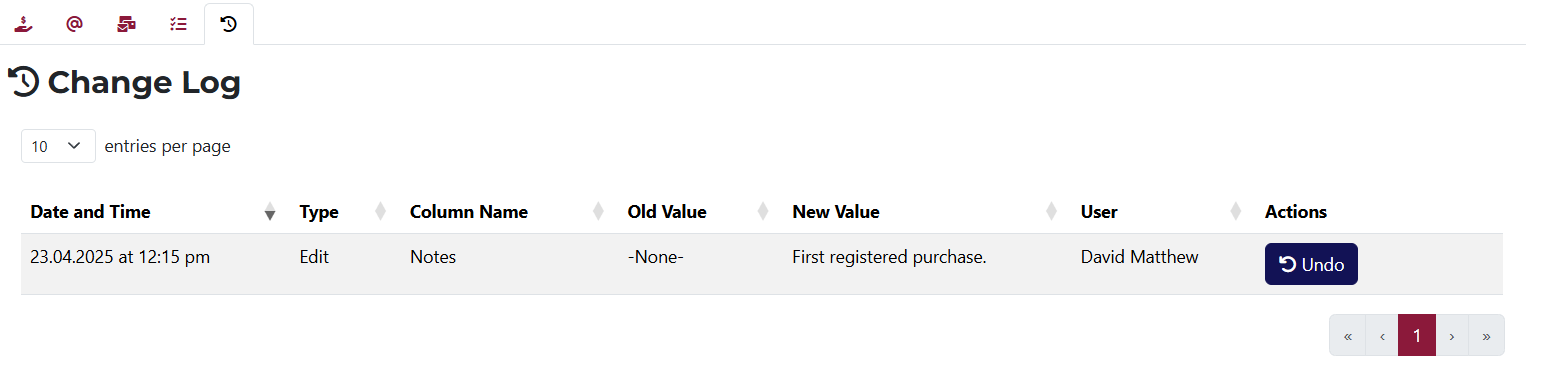
This tab shows a record of all changes made to the current purchase.
If any action is reversible, an Undo button will appear in the Actions column.