👁️ Overview
On this page, you will see information about the payment you have selected to view. Here, you can see the contents of all the fields you filled in when creating the payment.
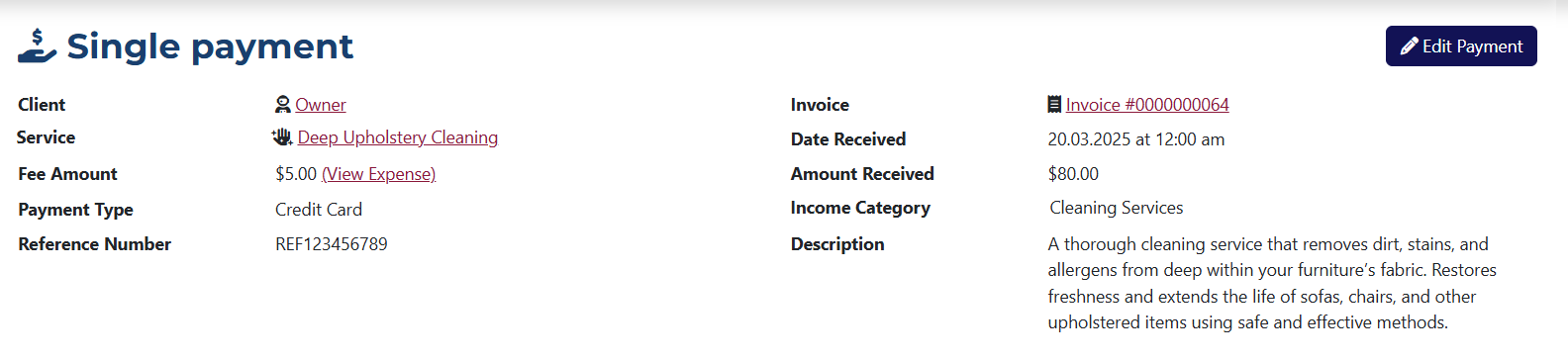
This page shows the following data:
- Client – the name of the client to whom the payment was issued.
- Service – the name of the service linked to the payment.
- Fee Amount – the value of the fee included in the payment.
- Payment Type – the type of payment made.
- Reference Number – the reference number assigned to the payment during creation.
- Invoice – if the payment is linked to an invoice, you will see its number here with a link that will take you to the invoice view page.
- Date Received – the date the payment was made.
- Amount Received – the amount entered during the payment creation.
- Income Category – the selected source of the payment.
- Description – the description of the payment entered during creation.
info
The options shown in the dropdown menus for Payment Type and Income Category can be added or modified from the system settings.
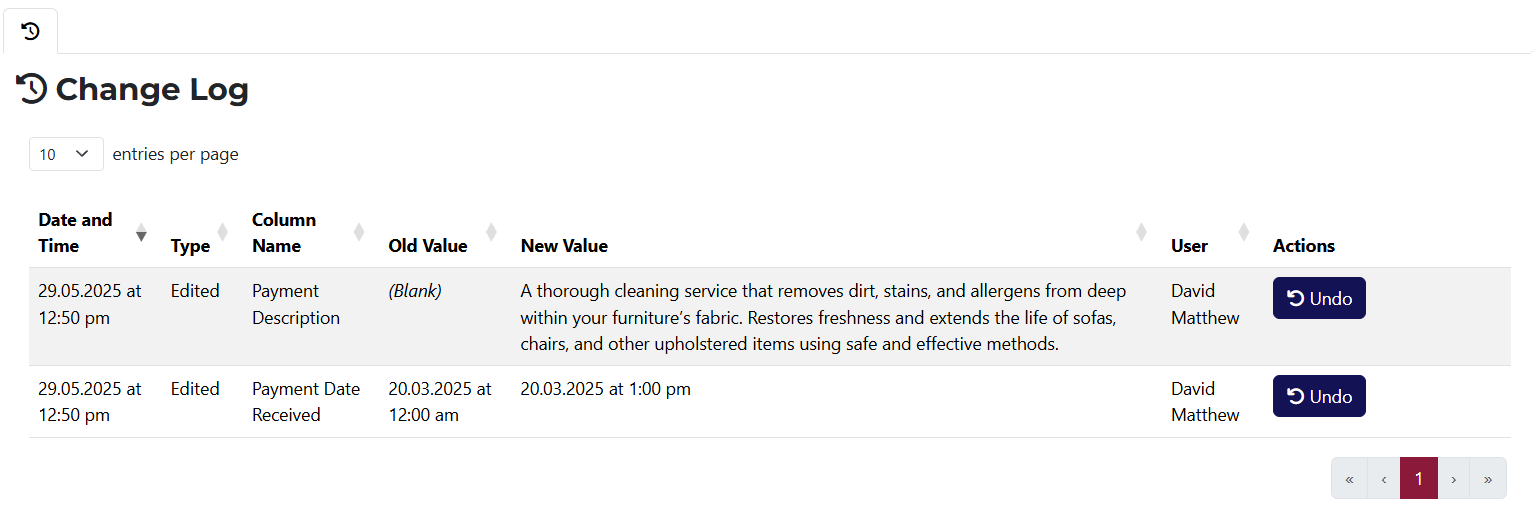
The Change Log tab shows all changes made to the payment. If a change can be undone, you will see the Undo button in the Actions column.