📃 List
This page displays a complete list of all clients in the system, including details such as company, contact person, email, and status. You can use various filters to easily search, manage, and organize client information. There’s also an option to add new clients.
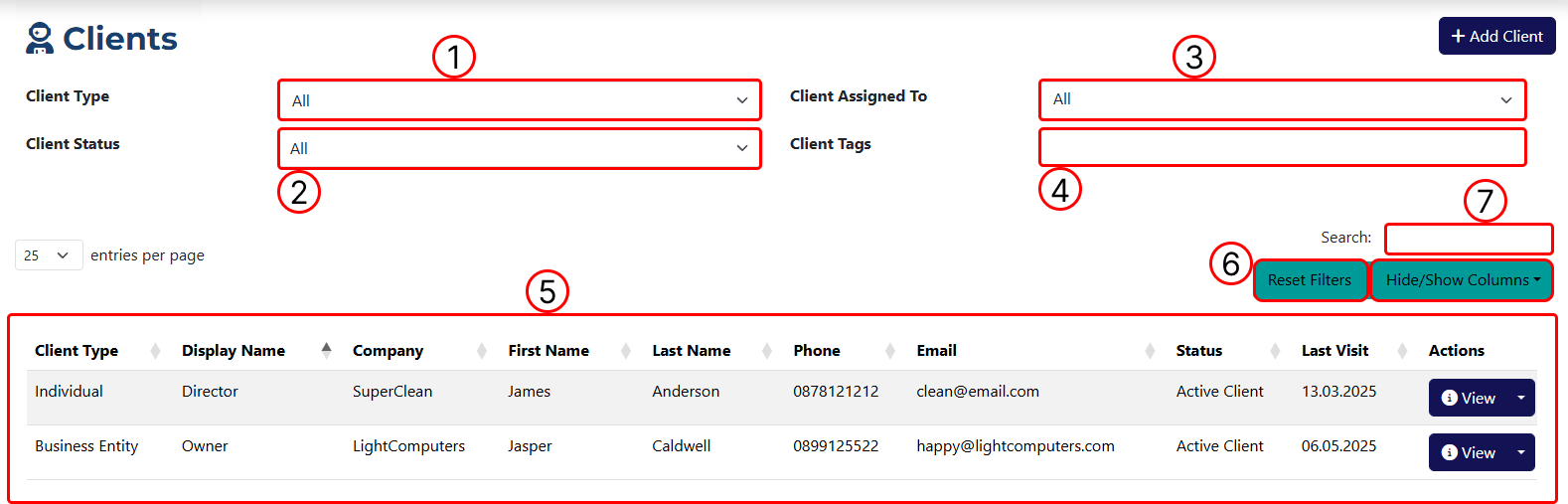
1 Filter results by client type.
2 Filter results by client status.
3 Filter results by assignee.
4 Filter results by tag.
5 Data table displaying all client entries.
6 Buttons to clear all applied filters and a dropdown for you to select which columns to show or hide from the data table.
7 Filter results by keyword search.
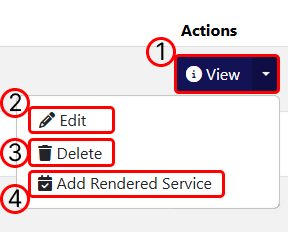
Actions' button functions:
1 Navigates to the Client Overview page.
2 Navigates to the Client Edit page.
3 Deletes the client.
4 Navigates to the Add Rendered Service page.