📃 List
- Sent Emails
- Unsent Emails
- Templates
- Layouts
- Email Settings
Here you can see a list of all sent emails with additional filtering options.
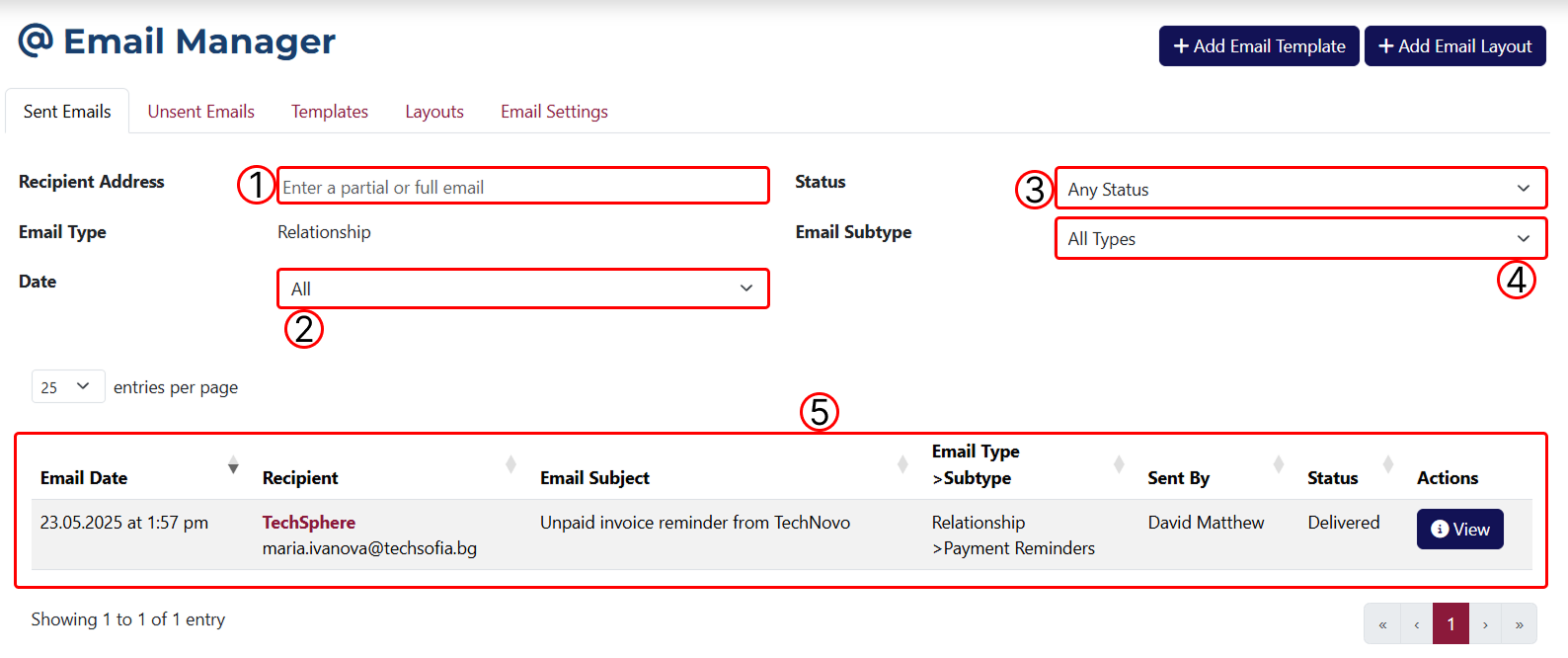
1 Filter results by email address. You can enter an email address in this field to apply the filter.
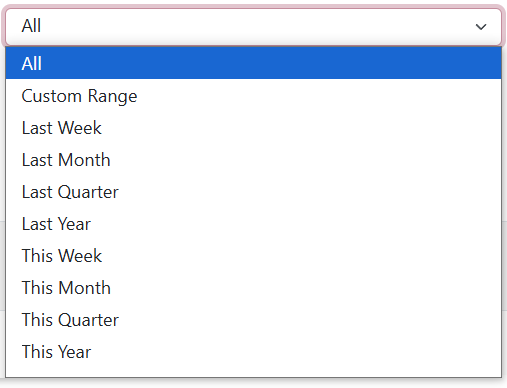
2 Filter results by date. Here you can choose a time period to filter by.
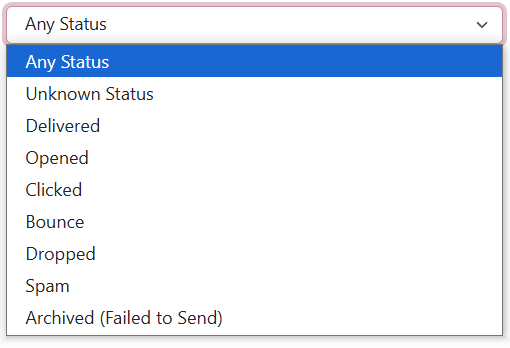
3 Filter results by status. This dropdown allows you to filter by:
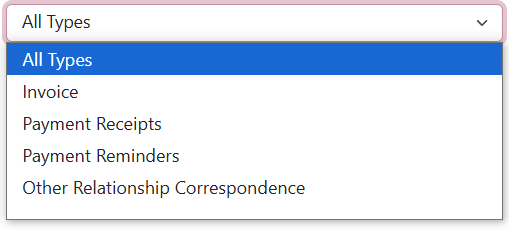
4 Filter results by subtype. This dropdown lets you apply filtering by:
5 A table showing all emails, either before or after filters are applied.
If you choose the Custom Range option from the Date dropdown, you’ll be able to enter a custom time range using additional fields for start and end date.
On this page you’ll find a list of all unsent emails with filtering options and a bulk send action.
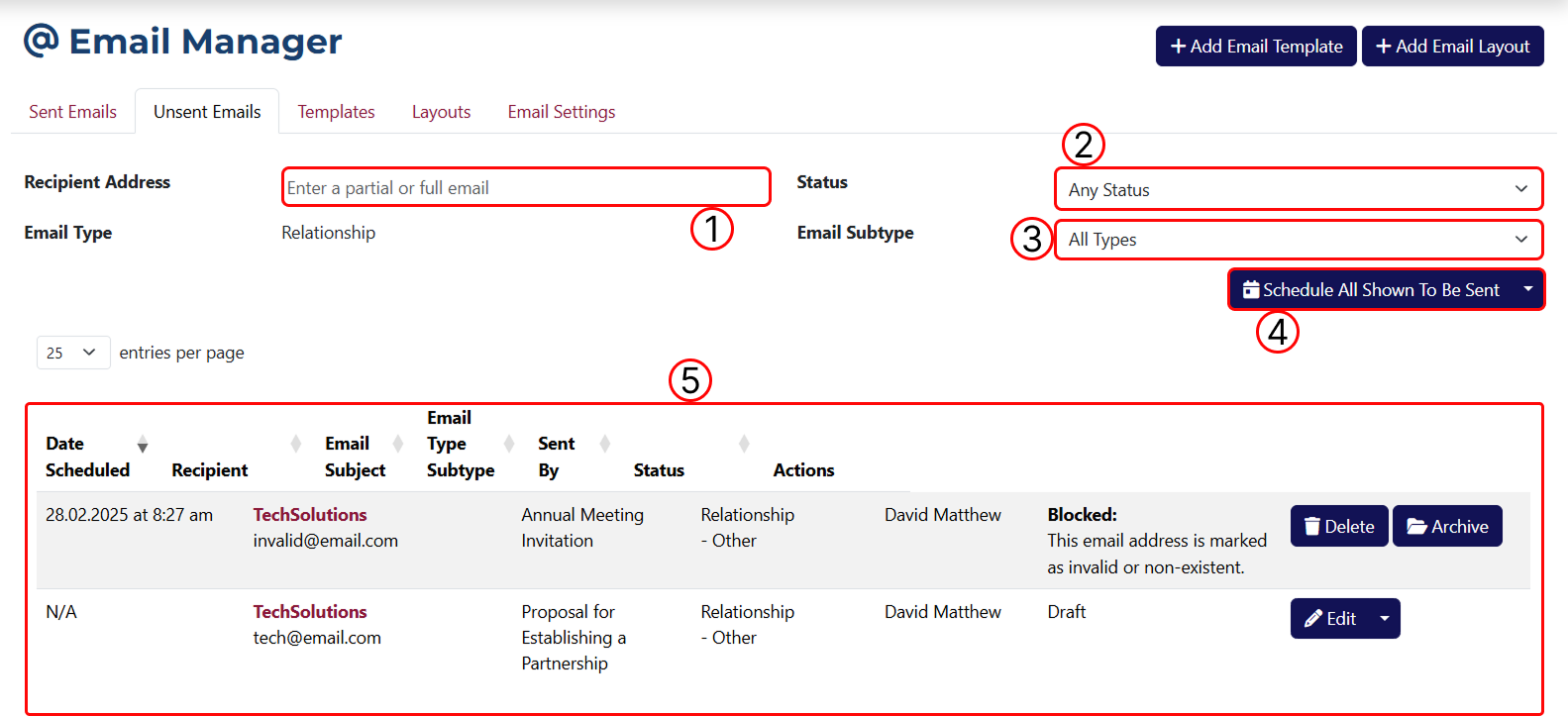
1 Filter results by recipient. You can enter an email address here to apply the filter.
2 Filter results by status. Here you can choose from the following options:

3 Filter results by subtype.
4 This button applies a bulk action to all shown results. When clicked, a popup will appear where you can set a date and time for sending the emails. There is also a dropdown to select an option to cancel sending.

5 A table showing all unsent emails. You also have buttons for deleting and archiving.
Only unsent emails with status Draft can be edited.
You can access the email templates tab by clicking on Templates at the top of the page.
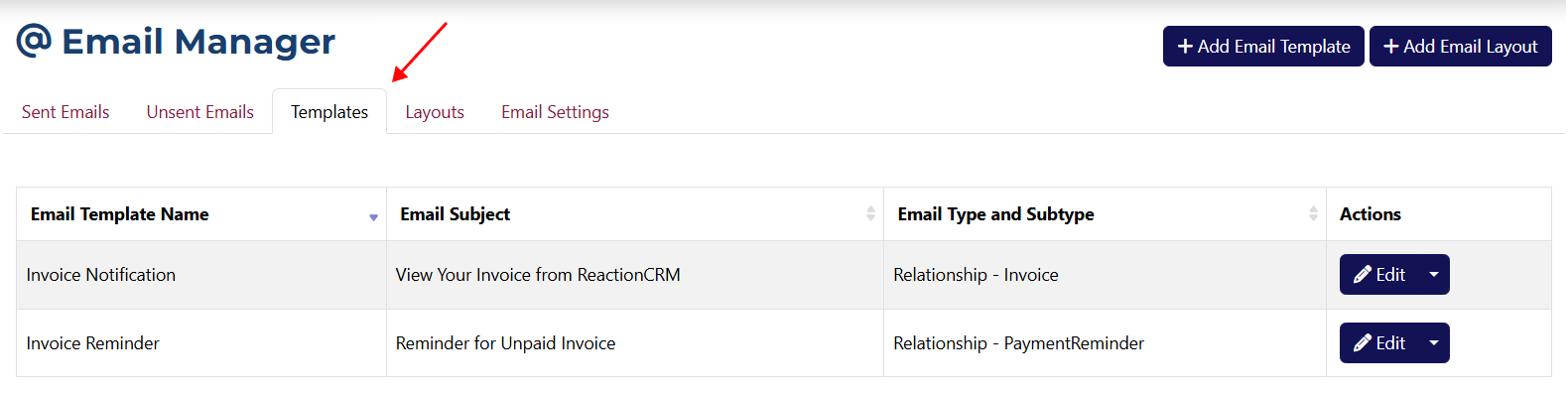
Here you'll find all the email templates you’ve created, with options to edit, duplicate, and delete. These templates are used to generate emails so you don’t have to fill in the same fields every time.
You can view the layouts tab by clicking on Layouts at the top of the page.
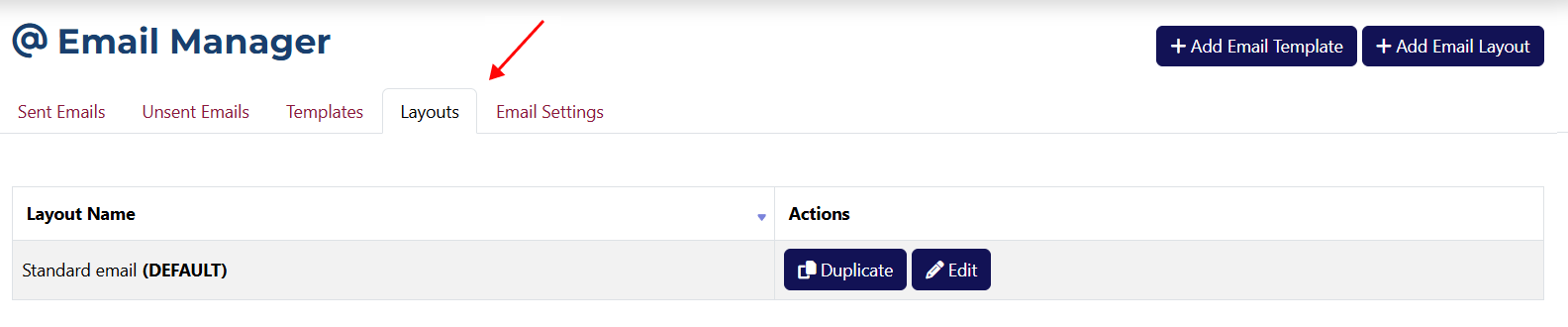
This page displays all layouts you’ve created, with options to edit and duplicate. Layouts define the visual structure and style of emails, determining how they will look when sent.
Here you can change all settings related to emails. You can access this section by clicking on Settings at the top of the page.
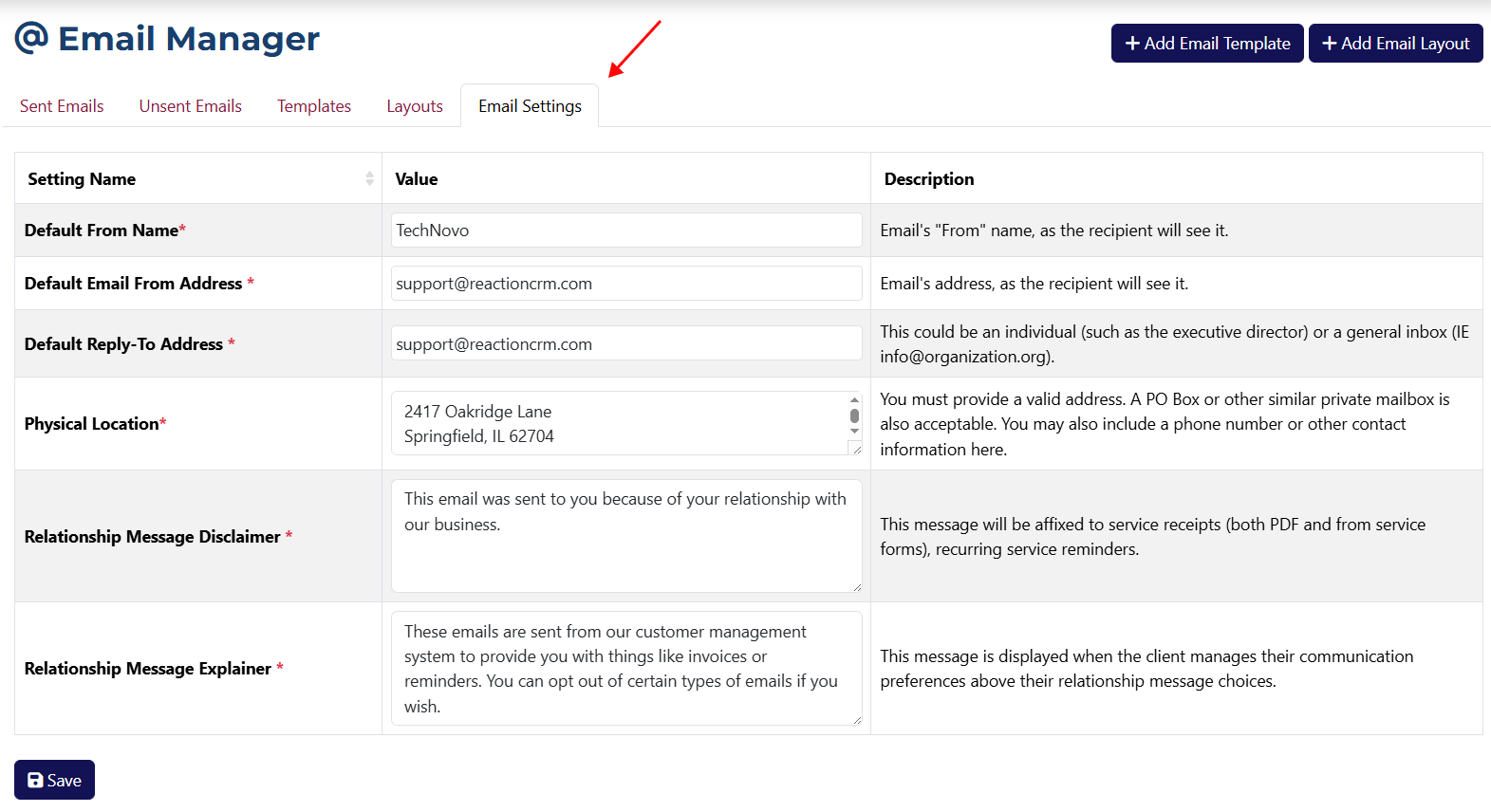
The values shown in these fields are set by default from the system settings.