📃 List
info
This module is customizable and can be tailored to meet your needs. You can configure it from the system settings, under the System Settings tab.
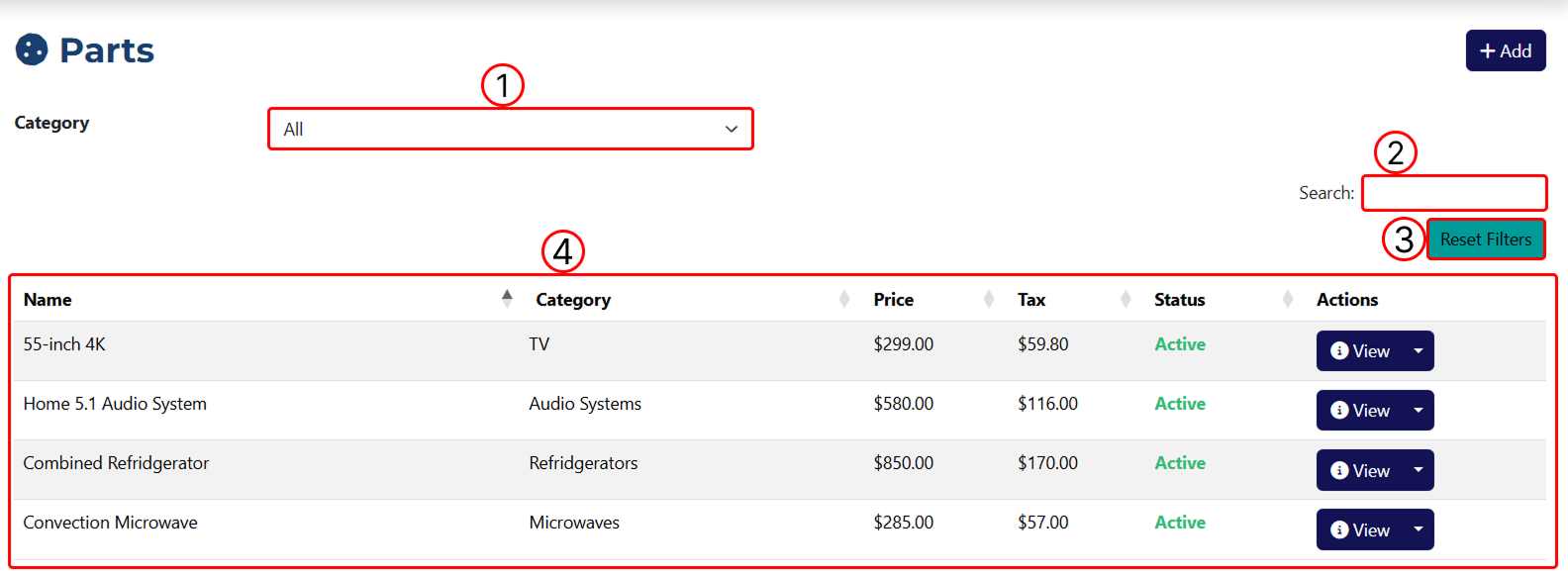
1 Filter results by category.
2 Filter results by keyword.
3 Remove all applied filters.
4 Table displaying all added parts.
info
You can add and edit part categories from the system settings.
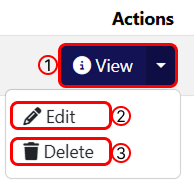
Actions' button functions:
1 Opens the Part Overview page.
2 Opens the Part Edit page.
3 Deletes the part.