➕ Add
- Emails
- Templates
- Layouts
You can create a new email from the tabs on the following pages:
Each of these pages includes an Emails tab where the Add Email button is located.
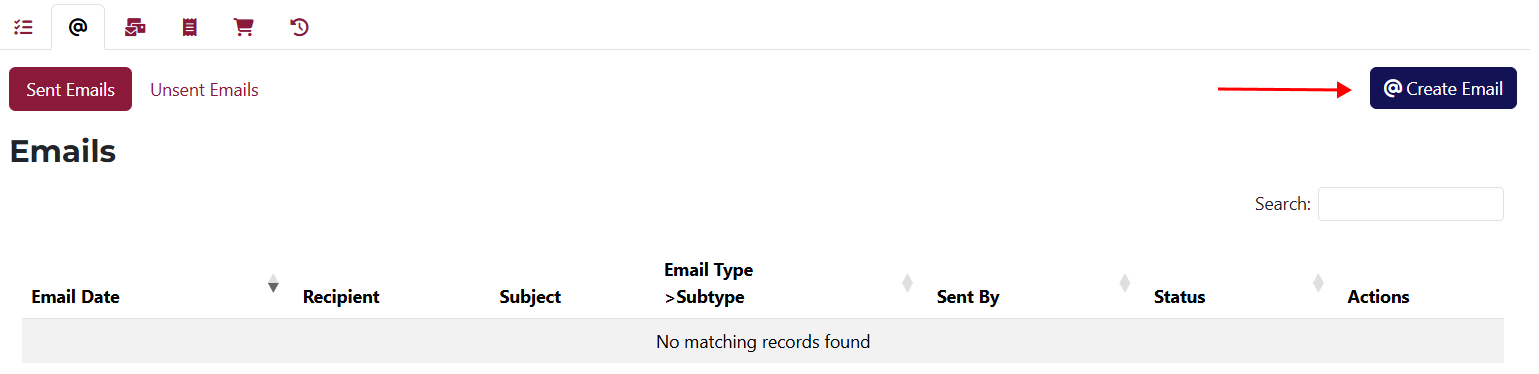
It’s important to know that the emails you create from these pages will be automatically linked to the client, purchase, rendered service, or invoice from which they were created.
Here’s an example of creating an email from the Client Overview page:
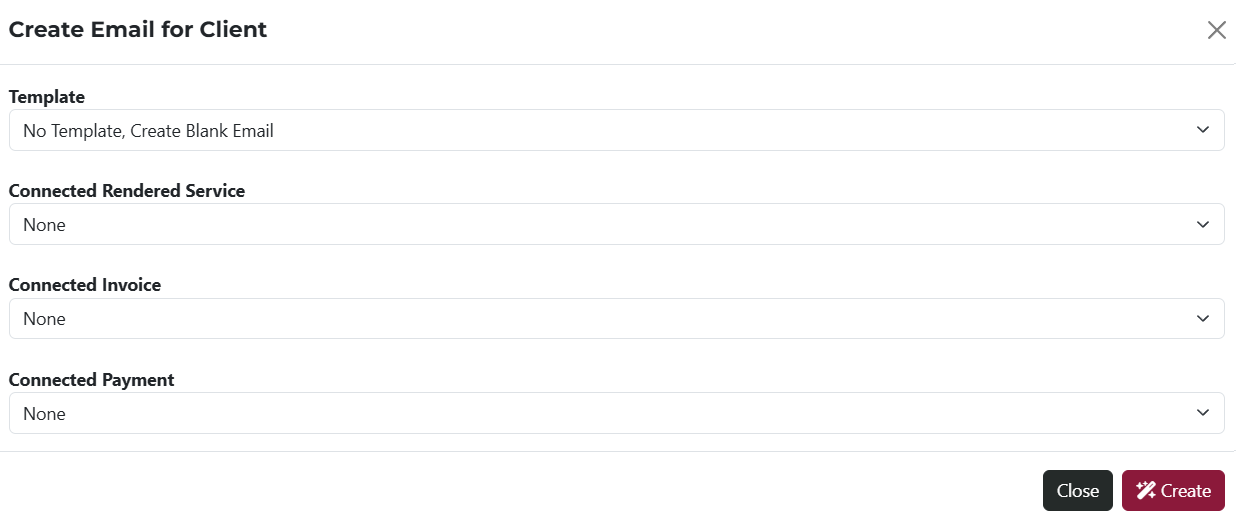
After clicking the Create Email button, the shown above popup window will appear where you can select:
- Template – use this dropdown to select a pre-created template.
- Connected Rendered Service – here you can choose a rendered service linked to the client.
- Connected Invoice – this dropdown shows all invoices linked to the client.
- Connected Payment – select a payment related to the client from this dropdown.
The values selected in the dropdowns will be included in the body of the email you generate.
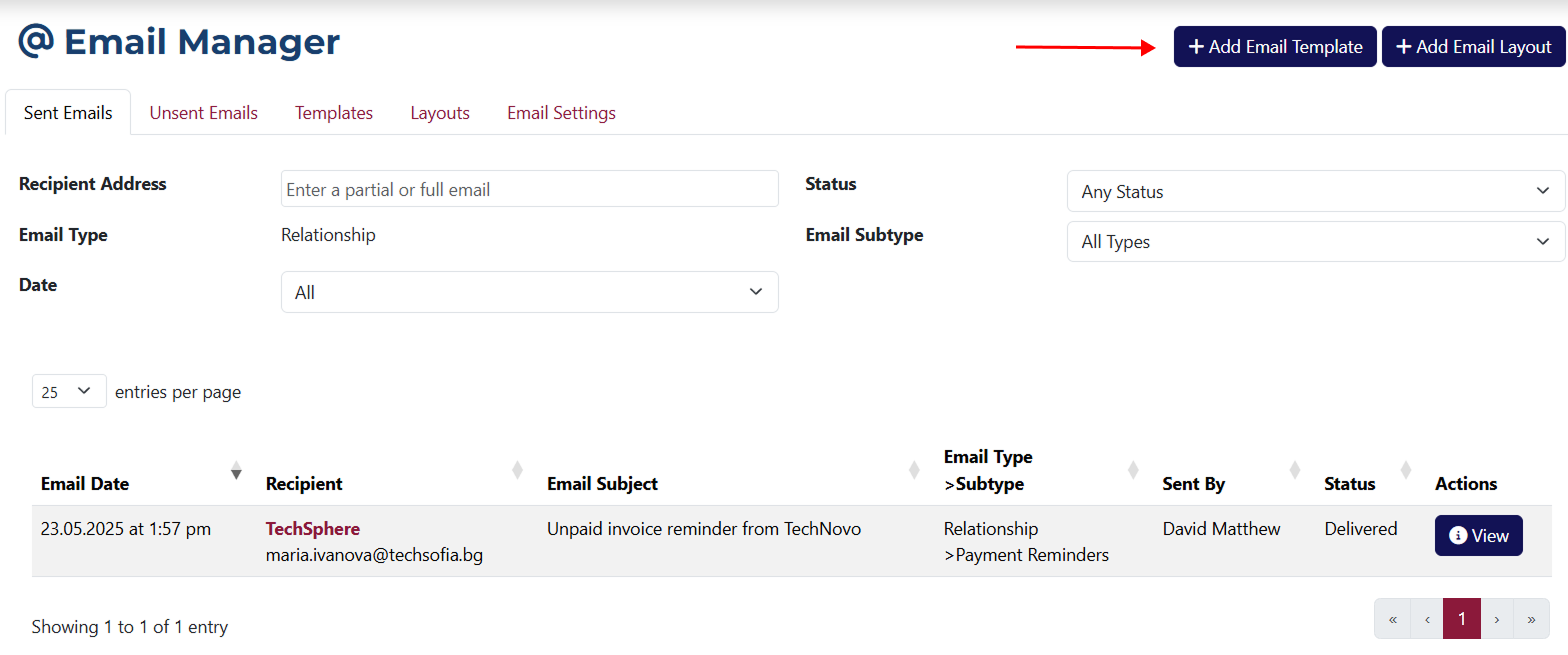
The page for creating a new template can be accessed via the Add Email Template button.
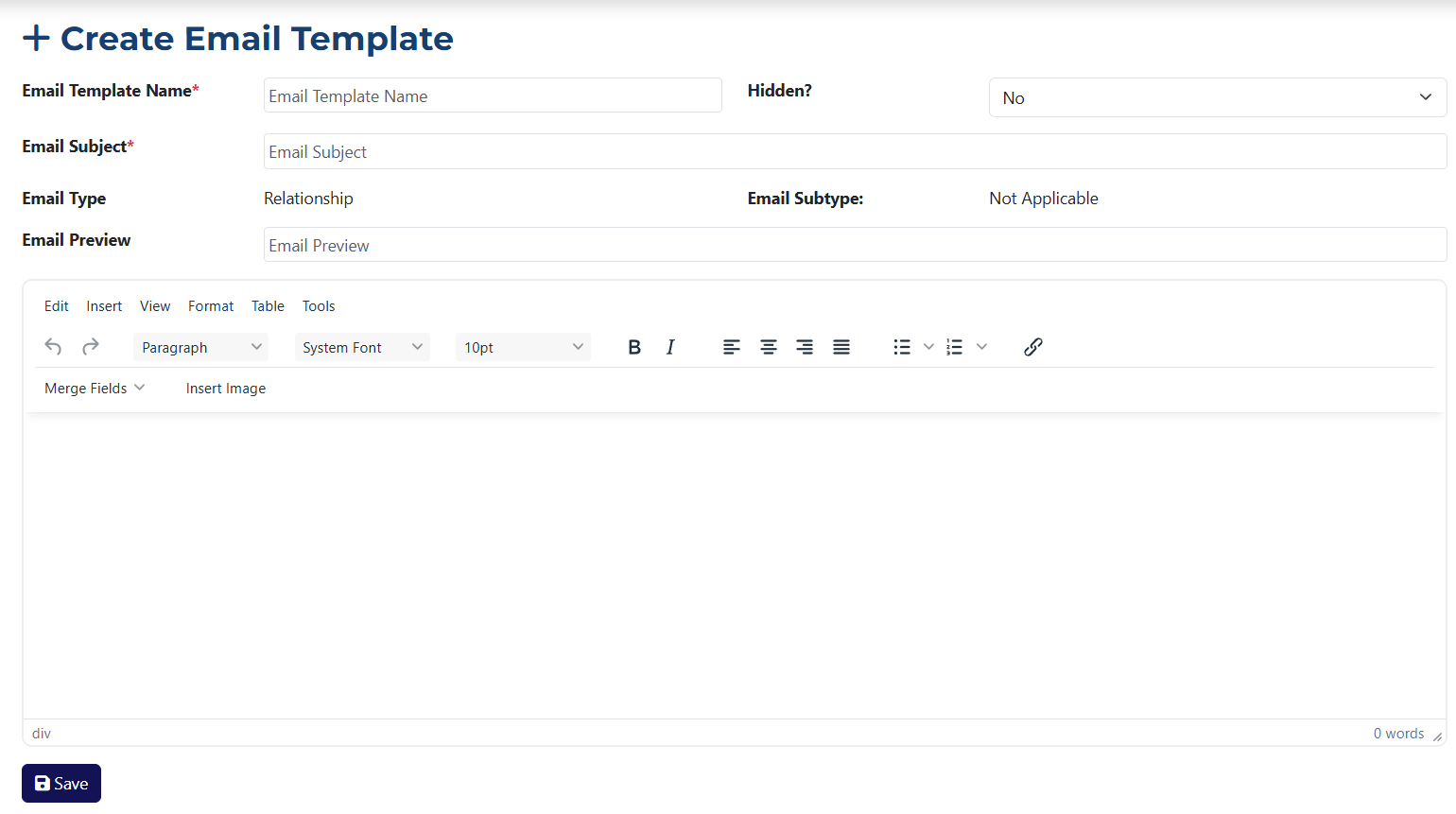
This page includes the following fields:
- Email Template Name* – you must enter a name for the template you're adding.
- Email Subject* – you must set the email subject that will appear when creating an email using this template.
- Email Preview – use this field to provide a short description of the email to be created from the template.
- Hidden? – use this dropdown to choose whether the template should be hidden or visible. If hidden, it will not appear in the template selection dropdown.
Fields marked with an asterisk * are required.
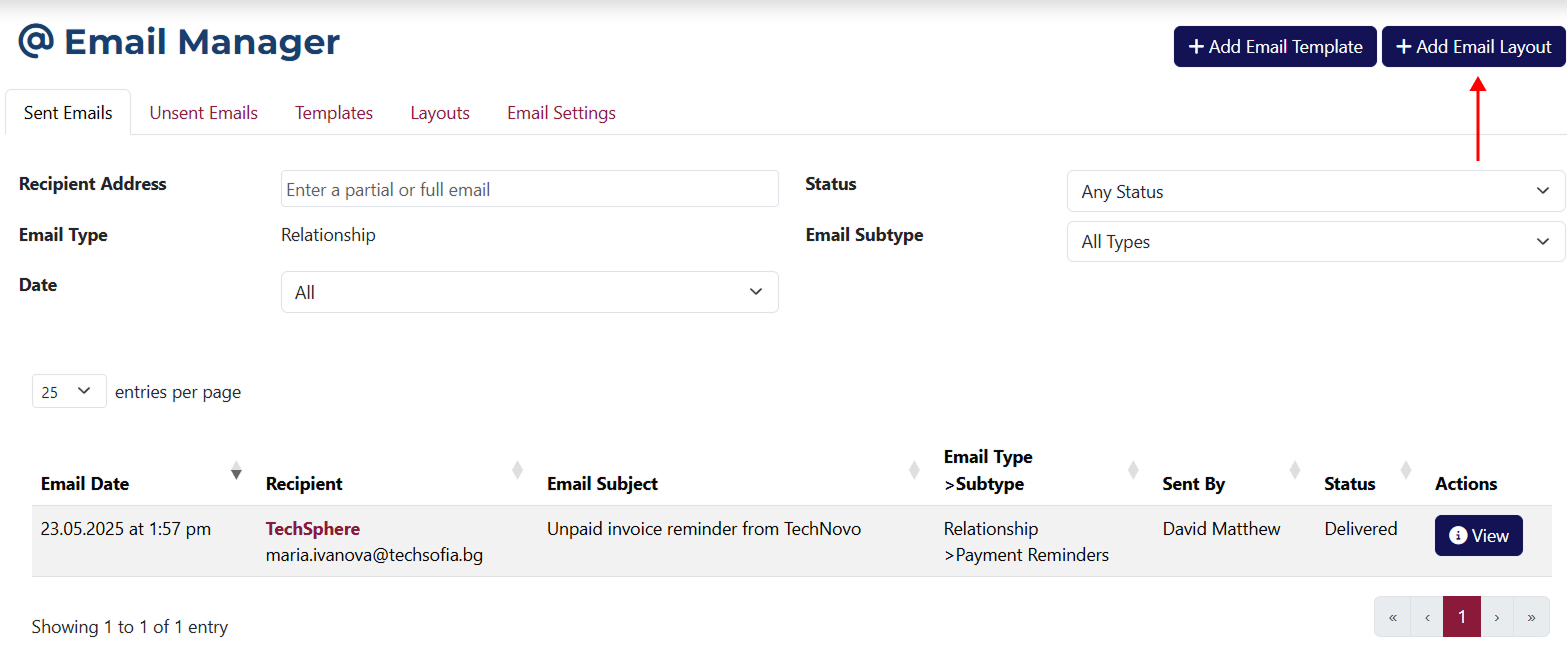
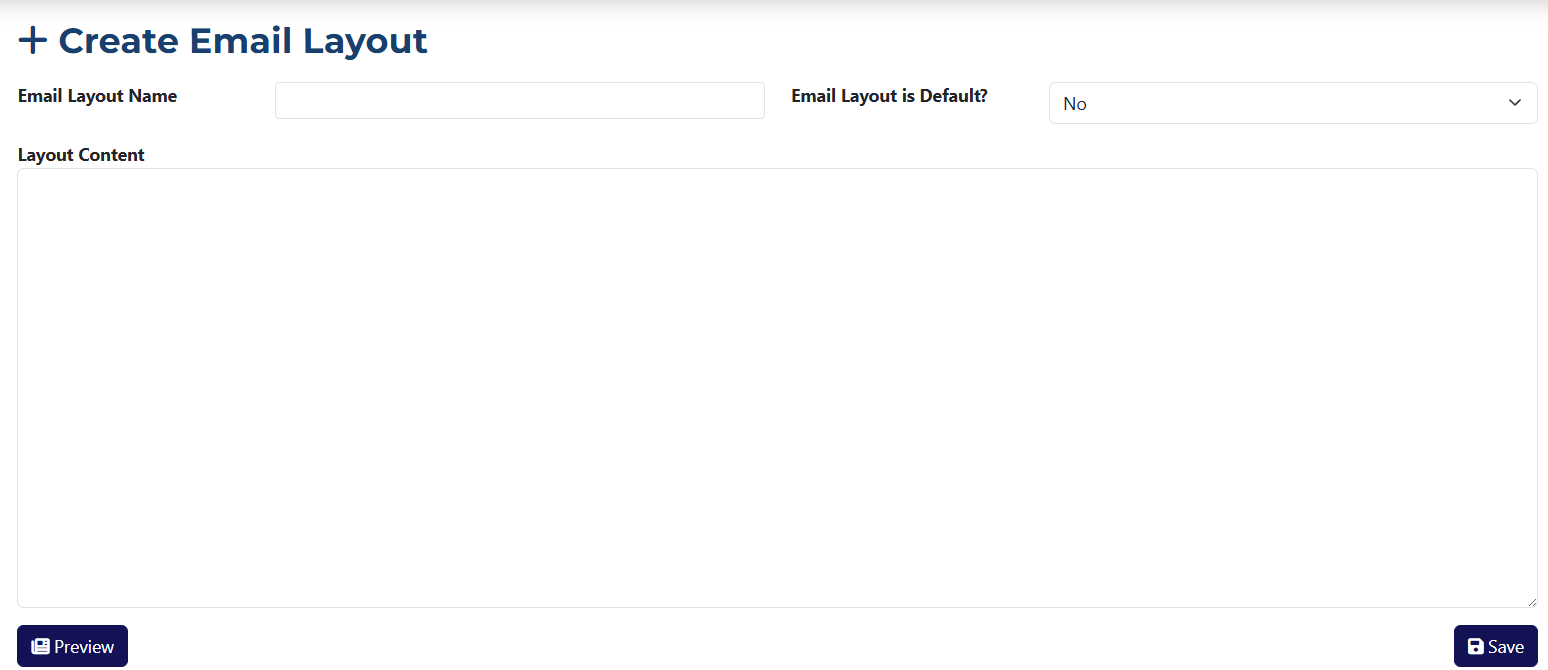
Here is more information about the fields you see:
- Email Layout Name – enter the name of the layout you're adding.
- Email Layout is Default? – choose from this dropdown whether the layout should be used by default.
- Layout Content – enter the content of the layout here. You can freely format the text as you wish.
- Preview – this button opens a popup window showing a preview of the layout you’re creating.
The previewed changes made in the content field will not be saved unless you click the Save button.