👁️ Overview
This page displays detailed information about the selected expense.
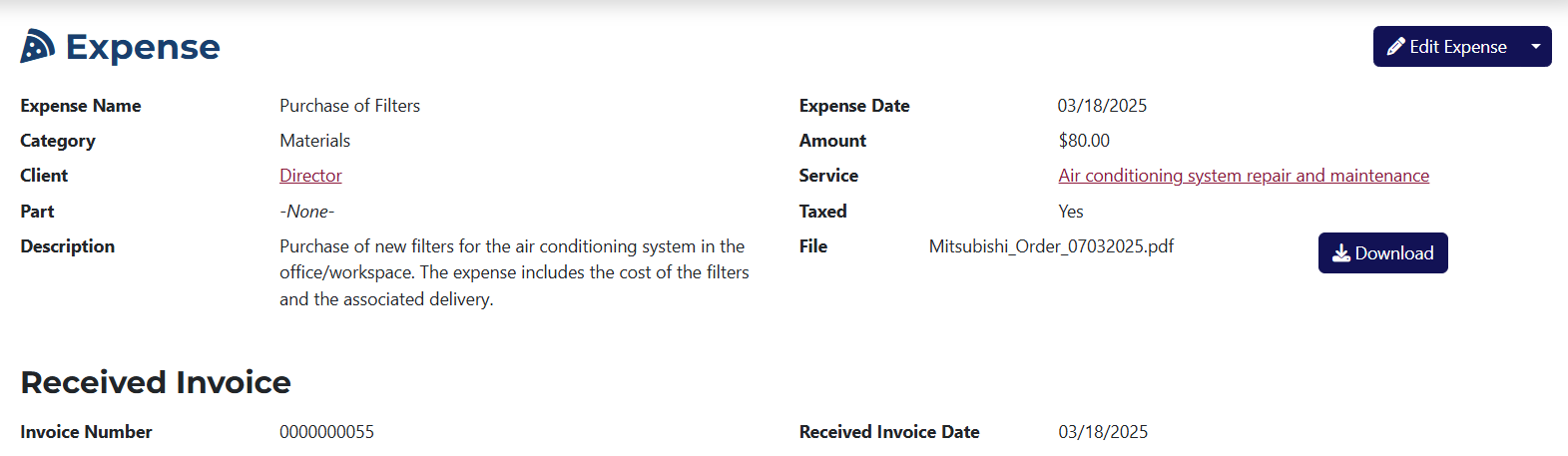
Here you can view the following details:
- Expense Name – the name you assigned to the expense.
- Category – the category the expense belongs to.
- Client – the name of the client associated with the expense.
- Part – the name of the part linked to the expense.
- Description – a description you provided for the expense.
- Expense Date – the date the expense was recorded.
- Amount – the total amount of the expense as entered during creation.
- Service – the name of the service associated with the expense.
- Taxed – indicates whether the expense is subject to VAT.
- File – if a file is attached to the expense, its name will appear here and you’ll be able to download it.
- Invoice Number – if an invoice is linked to this expense, its number will be shown here.
- Invoice Date – the date of the invoice related to the expense.
info
If the expense is linked to a part, it will appear in the Part field along with a link to its view page.
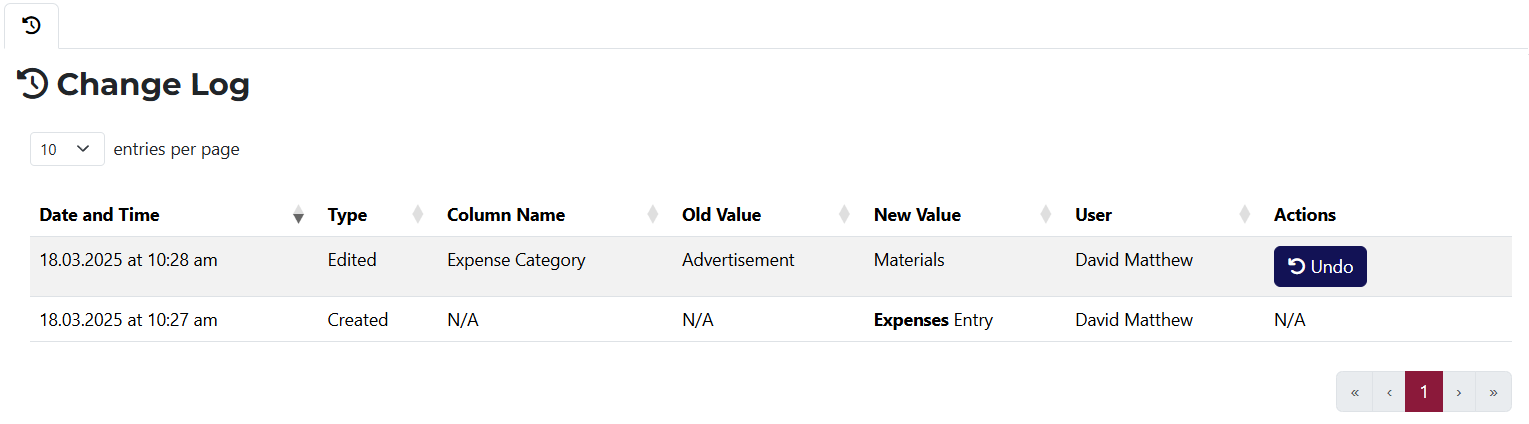
This page also includes a Change Log tab that shows all changes made to the expense. If a change can be undone, you can do that by clicking on the Undo button in the Actions column.