➕ Add
To access this page, click the Add Service button located on the Services page.
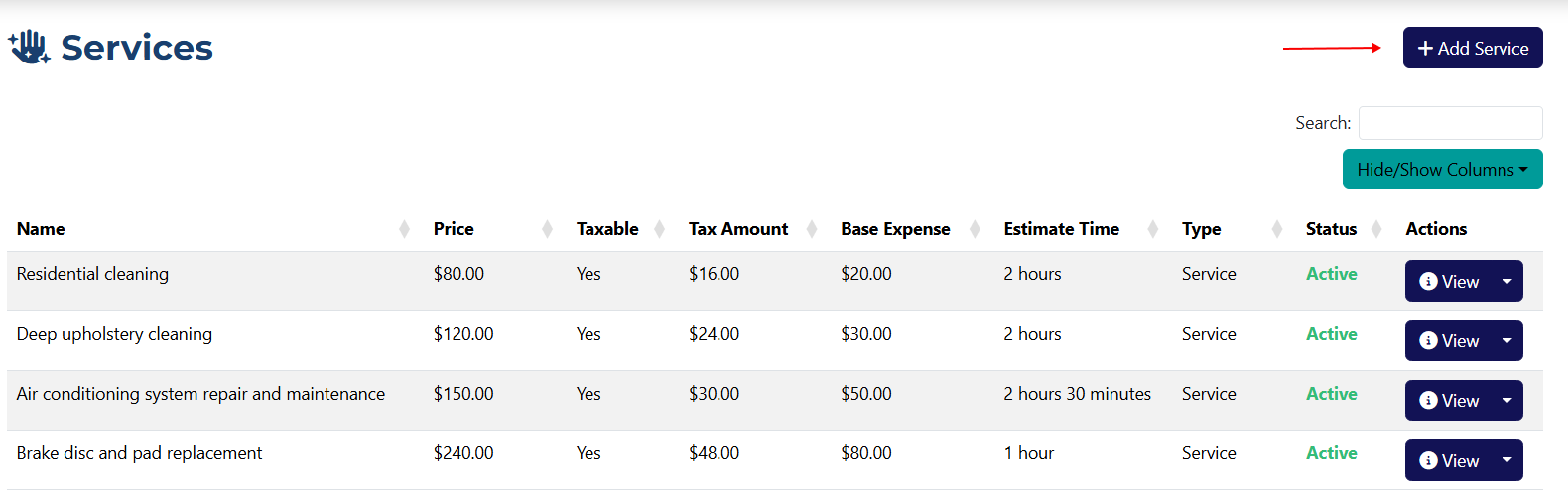
Add a Service
info
Fields marked with an asterisk * are required.
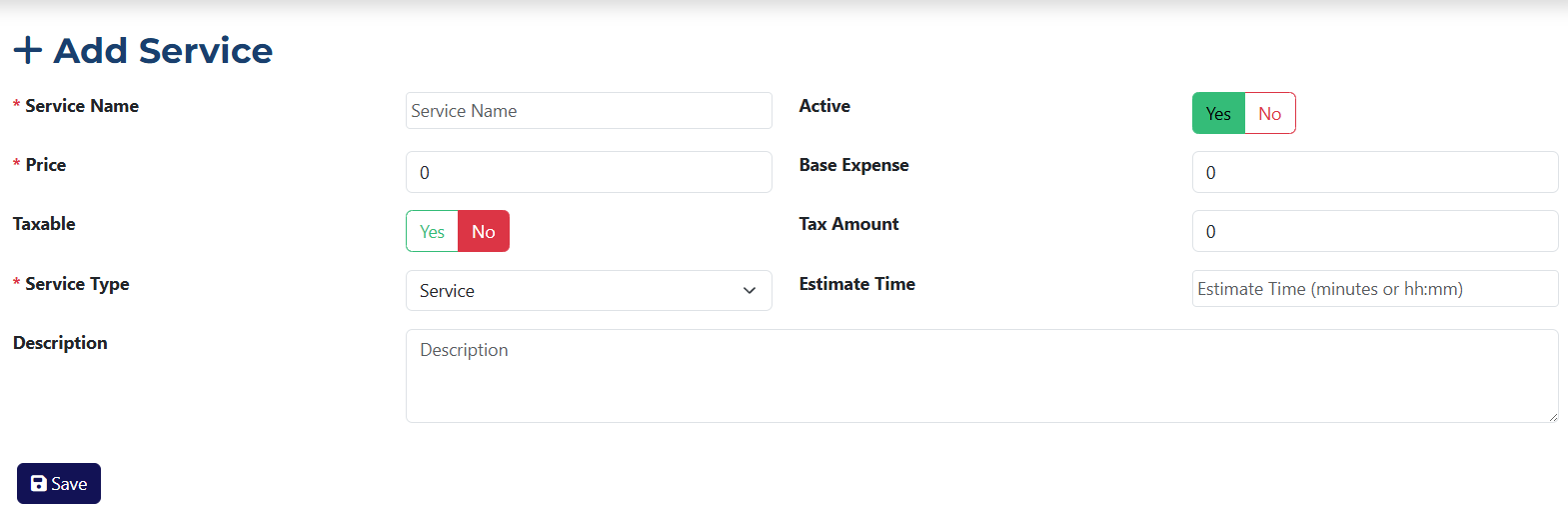
The service creation form includes the following fields:
- Service Name* – the name you want to assign to this service.
- Price* – the value of the service. The field accepts up to two decimal places.
- Taxable – use this toggle to indicate whether the price is subject to VAT.
- Service Type* – a dropdown menu where you choose the service type: Service or Consultation.
- Active – this toggle determines the status of the service (active/inactive).
- Base Expense – in this field you can specify the service expense borne by the company.
- Tax Amount – the amount of tax that will be applied to the entered price.
- Duration – the time it takes to deliver the service. Must be entered in minutes or hh:mm format.
- Description – a text field for adding more details about the service.
tip
You can set a default VAT value once in the system settings, so you won’t have to enter it every time.