Report – Client List by Timeframe Invoice Totals
Use this page to generate a list of clients for whom invoices were issued within a specific date range. You can apply filters to define the exact time period and retrieve relevant invoice data.
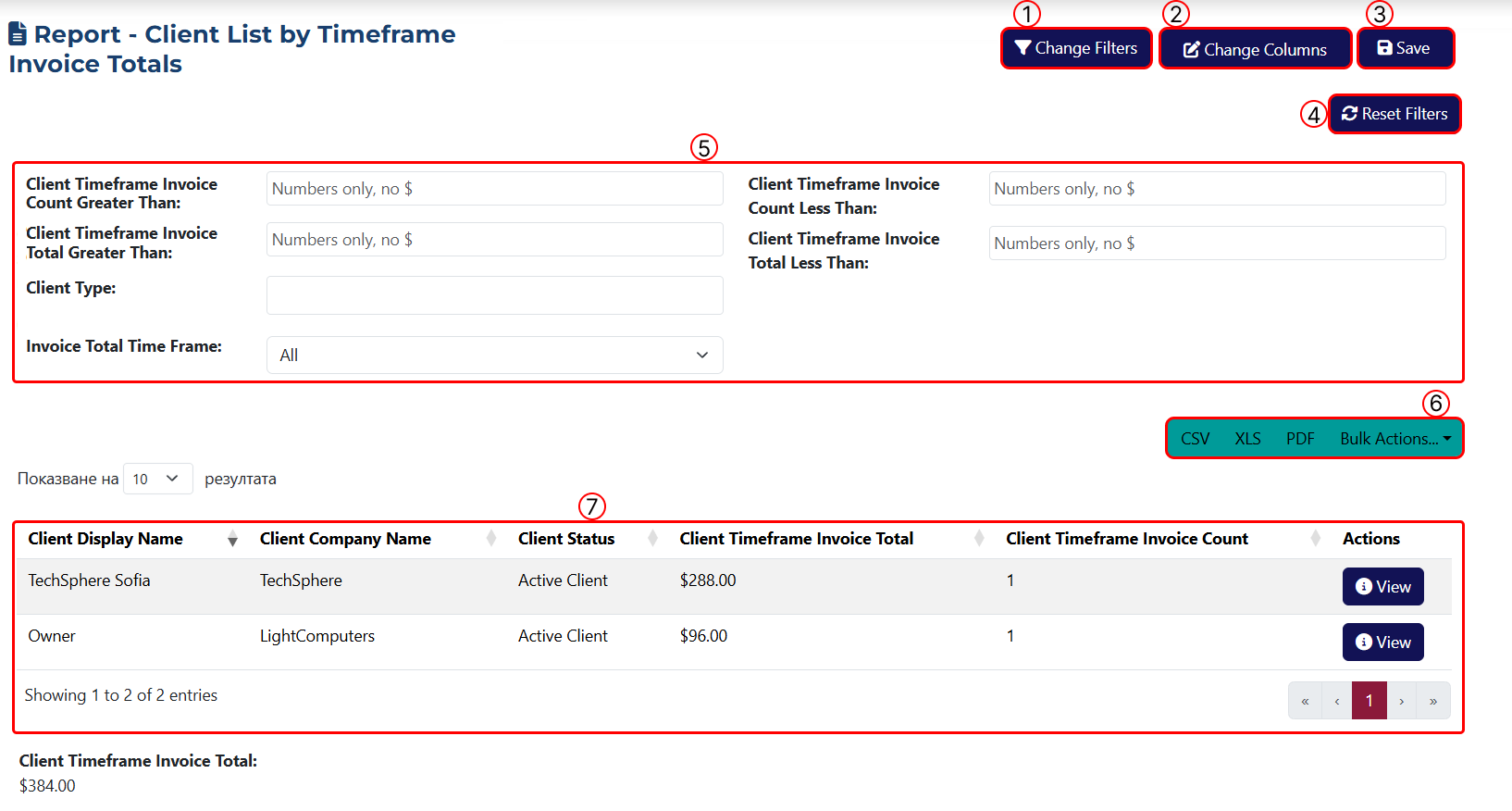
This page includes the following key elements:
1 Click this button to open the filter panel. A popup window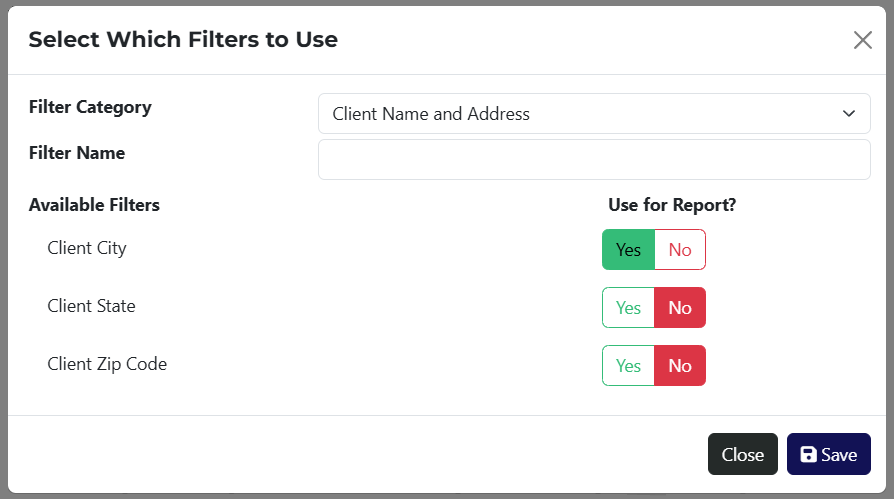 will appear, where you can choose which filters to apply.
To make filtering easier, the Filter Category dropdown provides a list of filter types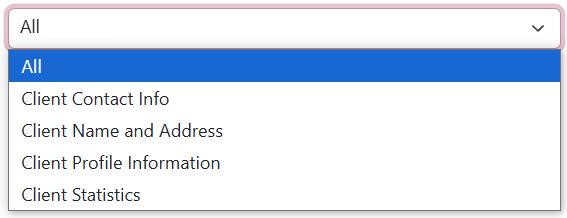 . You can search by keyword in the Name field or display all available filters by selecting All.
2 Use this button to customize the columns in the table. A popup window will appear, allowing you to choose which columns to show. Columns are organized by category, and can also be searched by keyword.
The Total Invoice Amount for Selected Period column is required for this report, as it reflects the core data related to issued invoices.
3 Click this button to save the report. Afterwards a popup window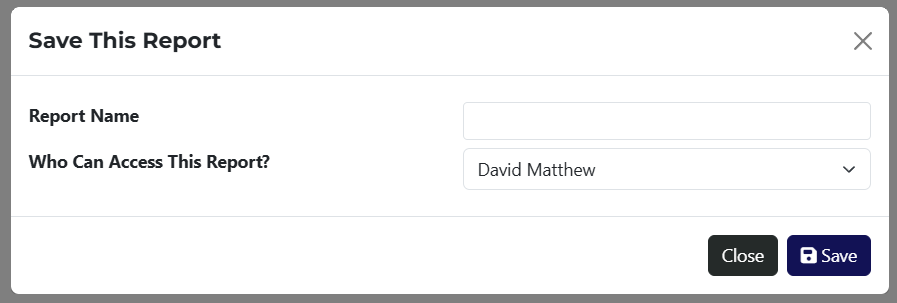 will let you assign visibility to a specific employee or team member.
4 Use this button to clear all applied filters.
5 This section shows a summary of all currently applied filters, as configured in step 1.
6 Export your report in CSV, XLS, or PDF format. The Bulk Actions dropdown gives you access to tools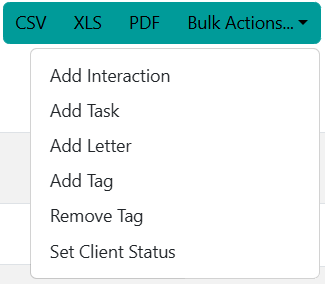 for managing all filtered results at once.
7 A dynamic table showing all relevant results, based on the filters applied.
If the report has been saved, it will be available via a link on the Reports page.